
WhatsApp Broadcast Campaigns
Reach thousands of opted-in customers with approved templates and see exactly what happened to every message.
See it in the Campaigns panel
Every campaign, its audience and its results in one table.
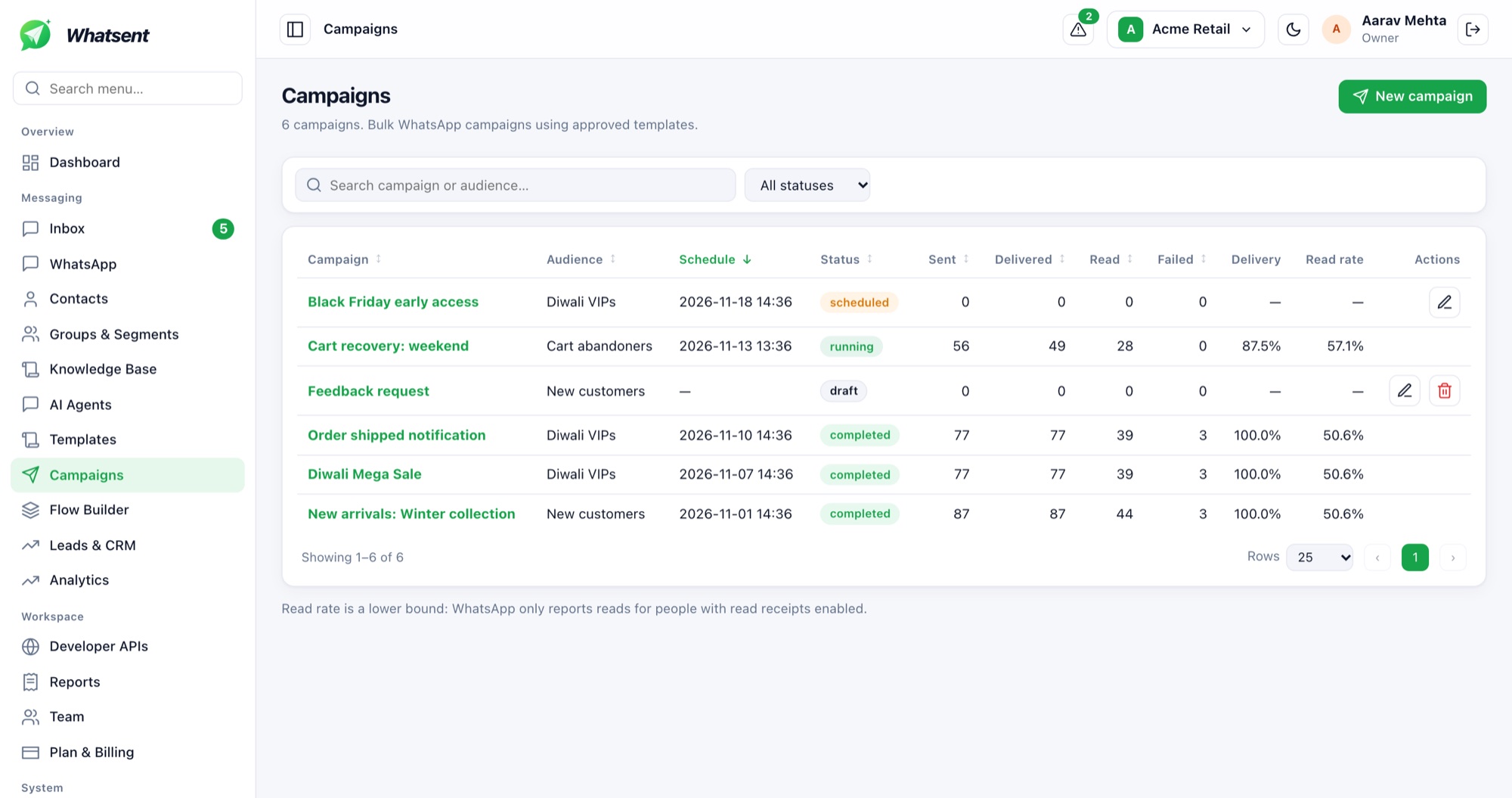
- 1Search and filter
Find a campaign by name or audience, or filter by status.
- 2Status at a glance
Draft, scheduled, running or completed, so you always know what is live.
- 3Delivery funnel
Sent, delivered, read and failed counts for every campaign.
- 4Delivery and read rates
Rates calculated for you. Read rate is a lower bound because it depends on read receipts.
- 5Create a campaign
Pick an approved template, choose a segment, and send now or schedule.
How it works
- Create or sync WhatsApp templates and track Meta's approval status
- Pick a segment: only opted-in, non-suppressed contacts are included
- Send now or schedule, from the number you choose
- Watch delivery, read and reply rates per campaign
Built for compliance
Consent records and opt-out suppression are enforced automatically, so campaigns never go to people who should not receive them.
Frequently asked questions
Which messages can I broadcast?
Approved WhatsApp templates. Free-form messages are only possible inside the 24-hour customer service window.
Can I schedule a campaign?
Yes. Choose a date and time, and the campaign starts automatically.
Who receives a campaign?
Only contacts in the chosen segment who have opted in and are not suppressed.
Start sending on WhatsApp today
Connect your WhatsApp Business Account and launch your first campaign in minutes.